
01
Add your product
Add product details and choose a content style and voice.
Write scripts, create AI voiceovers,
and assemble videos with subtitles in VoxSync.
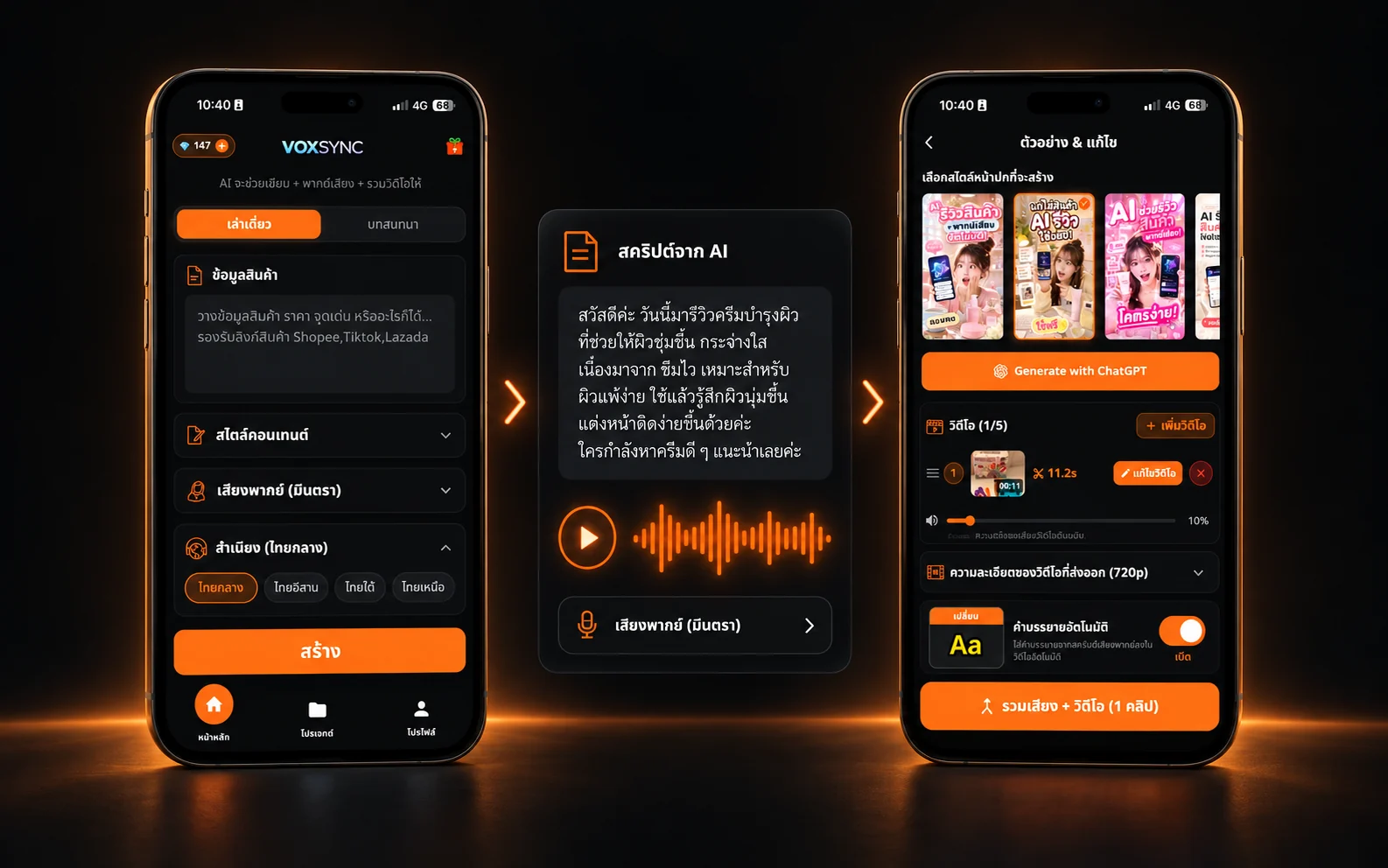
Add product details and choose a content style and voice.
Review your AI script and generate the narration in your style.
Add your clips, adjust subtitles, review, and export.
HOW IT WORKS
One guided workflow for your next review video.
Add product details and choose a content style and voice.
Review your AI script and generate the narration in your style.
Add your clips, adjust subtitles, review, and export.
MADE FOR CREATORS
Give your product details a clear story. Choose a style, then review and adjust the script before making your content.
Choose a voice and delivery style that fit your story. Listen and make adjustments before combining your video.
Bring clips and narration together, adjust your subtitle style, and review your video before export.
VOXSYNC LEARN
Practical guides with examples, written in Thai.
เริ่มจากข้อมูลสินค้าที่ตรวจสอบได้ แล้วเปลี่ยนร่างจาก AI ให้เป็นเรื่องเล่าที่เข้ากับผู้ชมของคุณ
ปรับข้อความให้เหมาะกับการฟัง ตรวจชื่อเฉพาะและตัวเลข แล้วเลือกเสียงจากตัวอย่างที่ได้ยินจริง
วางภาพตามสิ่งที่พูด ตรวจซับกับเสียงจริง และดูไฟล์ส่งออกบนมือถือก่อนนำไปเผยแพร่
GOOD TO KNOW
Create product review scripts, captions, AI voiceovers, and videos with subtitles. Review and edit your content before exporting.
Yes. Download it from the App Store or Google Play. Check your store listing for current operating system requirements.
AI features use your own Gemini API key, configured in the app. Google’s applicable terms, usage quotas, and charges apply.
Some generation actions use credits based on duration and the terms shown in the app. Check the cost before confirming. Gemini API charges may be separate.
Export your files and publish them yourself. Check AI content accuracy, rights to your media, and the destination platform’s rules first.
Write, narrate, and assemble your content in one mobile app.
AI features use your Gemini API key and credits under the terms shown in the app.